Show product description on shop, category and other archive pages.
Installation
Automatic Installation from the WordPress Dashboard
- Login to your admin panel
- Navigate to Plugins -> Add New
- Search Product Description on Shop & Archive Pages for WooCommerce
- Click install and activate respectively.
Manual Installation from the WordPress Dashboard
- Download the plugin. A ZIP file will be downloaded.
- Login to your site\’s admin panel and navigate to Plugins -> Add New -> Upload.
- Click choose file, select the plugin file and click install
Setup and Configuration
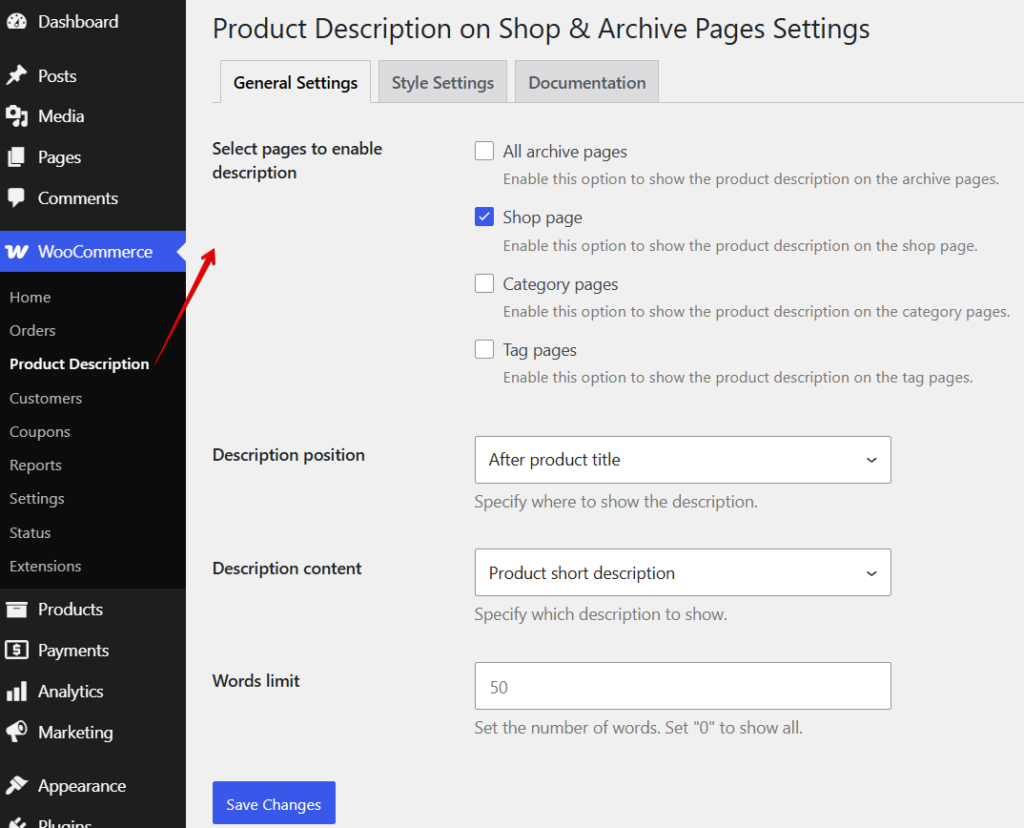
Once the plugin is installed and activated, you will notice a new item under WooCommerce > Product Description.
General Settings
In the general settings, you can customize the following options:
- Display a description on specific listing pages or all listing pages.
- Choose from eight different positions for the description:
- Before product title
- After product title
- Before product rating
- After product rating
- Before product price
- After product price
- Before product “Add to Cart” button
- After product “Add to Cart” button
- Select whether to display the product description as short, long, or a custom loop description.
Style Settings
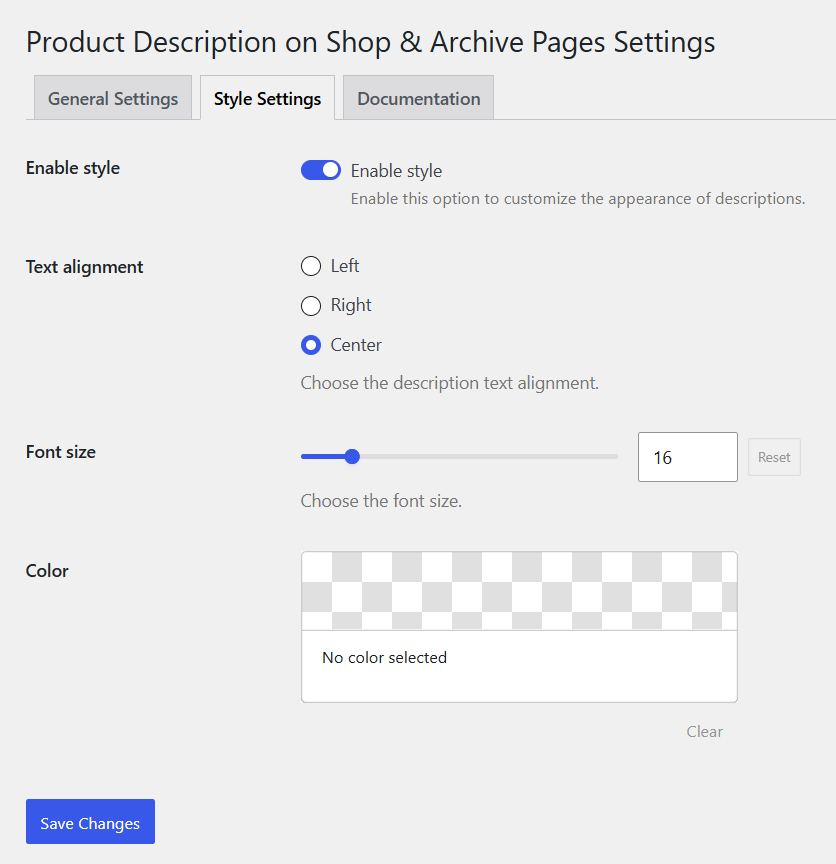
You can leave this empty to inherit the theme styling or choose to override it for custom styling of the short description. Customizable options include: text alignment, font size, and color.
Custom Loop Description Tab on Product Page
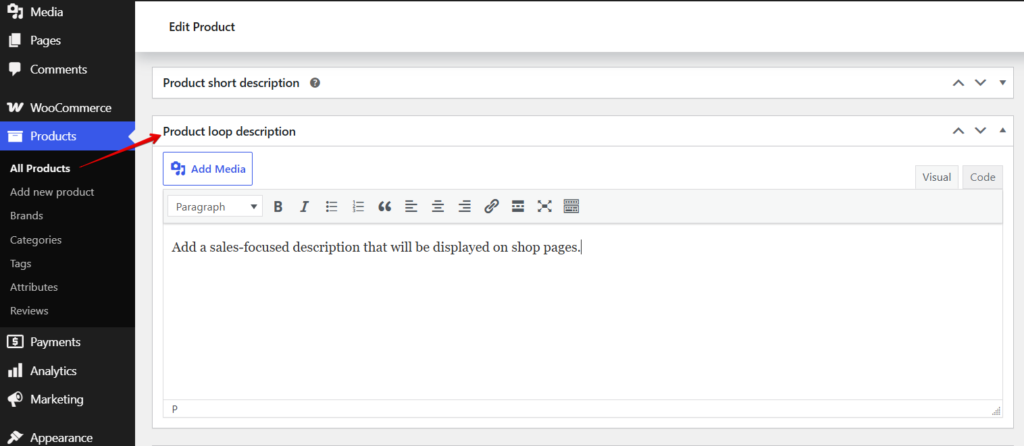
After installation, you will see a new custom loop description tab on the product page. This feature allows you to add a sales-focused description that will be displayed on shop pages.
Frequently Asked Questions
No! There is no word limit; you can add as long a description as you like, but considering the size of a product listing, we recommend keeping the description under 3 lines for better visibility!
No. This plugin is designed specifically for modern WooCommerce block-based pages.